
When I shared my Time Block sheet, some people observed that we have separate Income and Expenses sheet to track all the income and expenses. I have received a few requests to share the Income and Expenses sheet. Tushar Thakur and I created this sheet almost two years ago. He has done most of the work and Sandesh Mhatre has helped us with Excel formulas.
So, we have created this sample sheet which can be useful for all the entrepreneurs, bloggers, internet marketers or salaried employees.
Open the sheet and make your own copy
It will ask you to “Make a copy”. Create a copy and open it.
Explanation of tabs
-
Details of Categories: Here, you need to add all your income and expenses categories with details. This is just for your reference to choose the correct income/expenses categories in the future.
-
Existing Data: To cross check with your bank balance, you need to add existing bank balance in the “F” column (Existing Balance). Add expenses categories in the column “B”, income categories in the column “C”, business names in the column “D”, bank names or credit cards etc in the column “E”. I have added sample data for your reference.
Note: do not edit anything in columns “G-J”. Those are for calculation.
-
Visual: Here, you will see the pie chart of income and expenses.
-
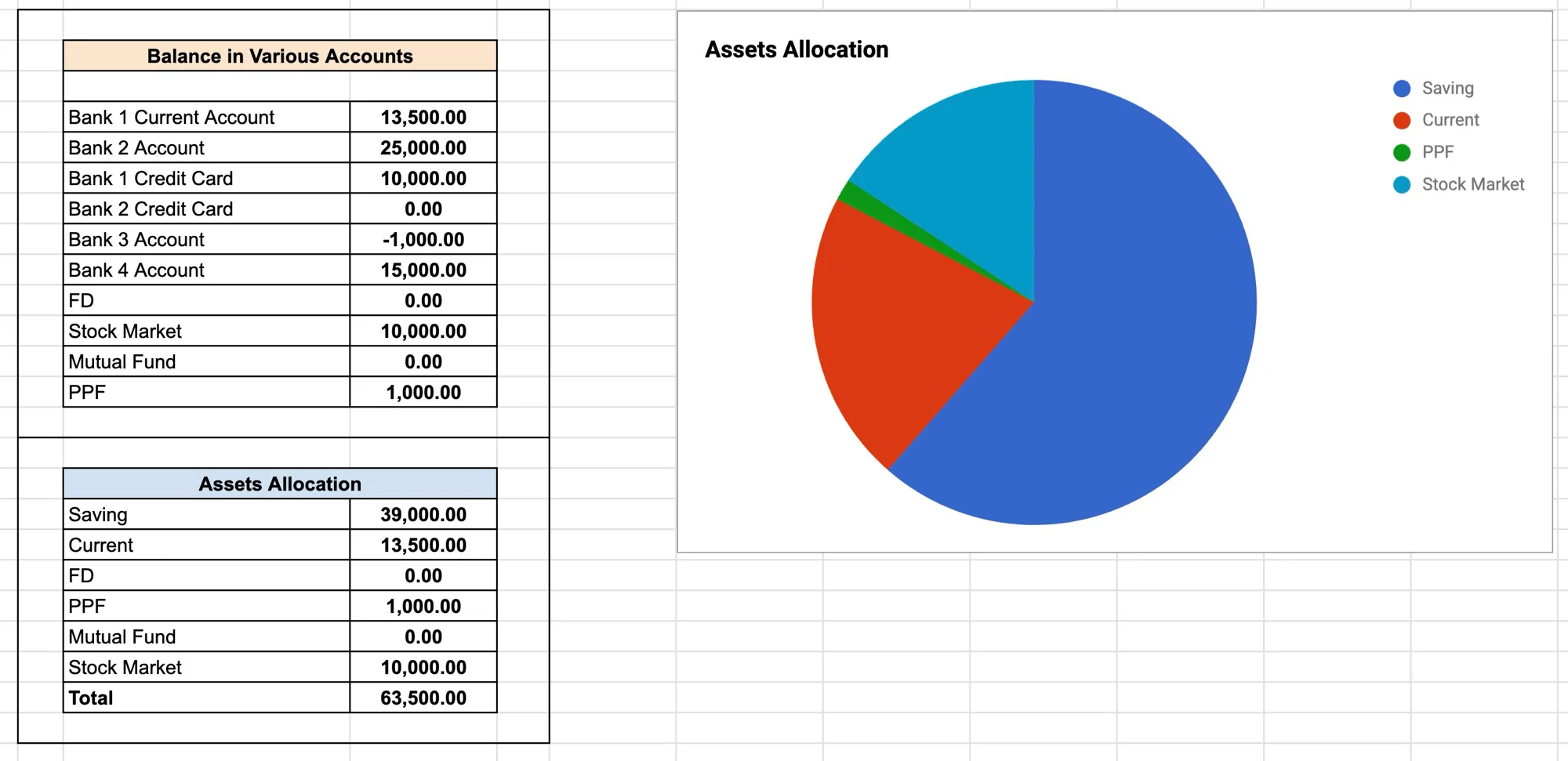
Balance: Balance in various bank accounts, fixed deposits, PPF or the stock market. It will help you to cross check the balance with your actual accounts.
-
Reports: All the data in a tabular format to track all the income and expenses category and business wise.
-
Self transfer: If you are transferring money from one of your accounts to another, then you need to add those records in this tab e.g. if you are investing money from your savings account to stock market, then add those entries in this tab.
-
Income: All the entries related to your income.
-
Expenses: All the entries related to your expenses.
Salaried employees can skip the businesses part. Income and Expenses categories will differ from person to person.
The rest of what I have written about money: when you master your spending, you master life and earn more than you spend.
PS: A few people asked how to pull monthly income and expense totals out of the sheet. It is easy enough to add yourself, and this tutorial on summing a date range in Excel walks through it.
Comments
No comments yet. Yours can be the first.